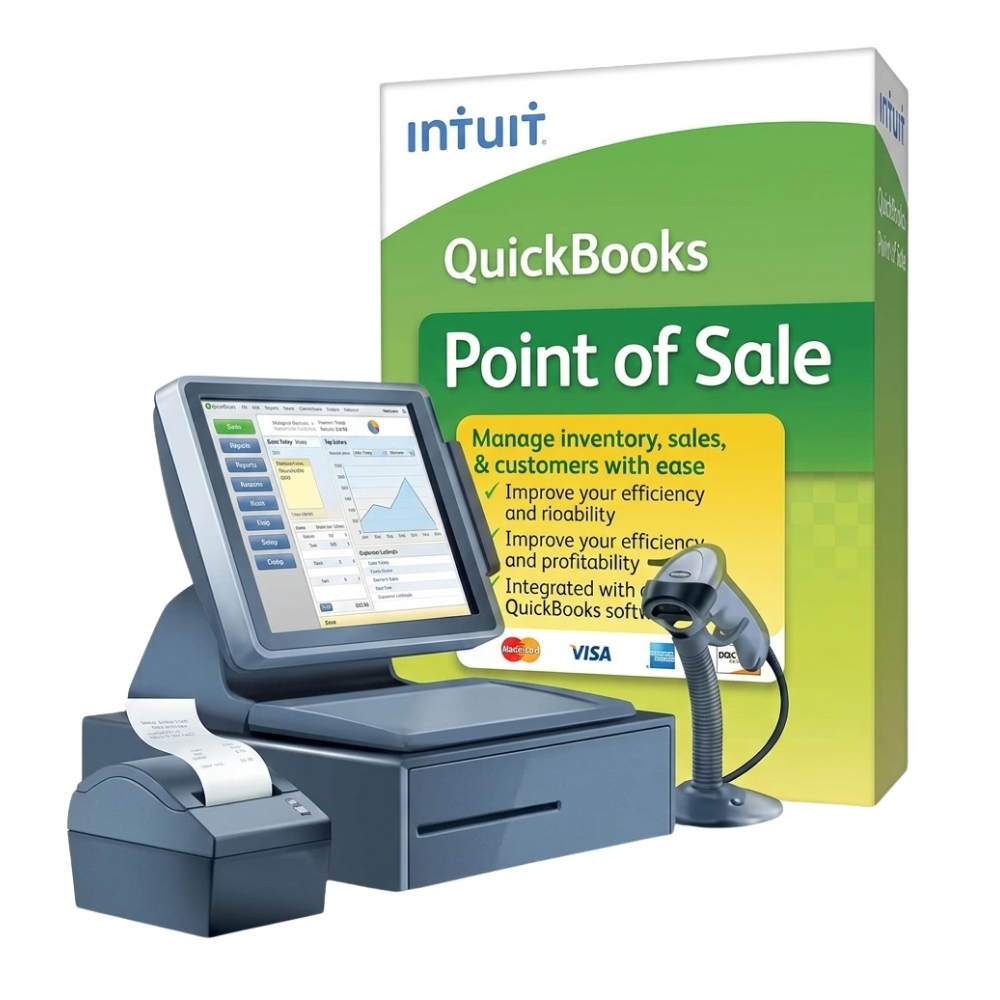
1‑User Multi‑Store License for QuickBooks POS V19
Perfect for chains, franchises and agencies that need one license for many Windows stores.
Connect all of your locations under a single QuickBooks POS V19 Multi‑Store license. Centralize inventory, pricing and reporting, while keeping your software cost low and predictable.
Everything you need to run multiple QuickBooks POS V19 stores from one license
V19 Multi‑Store is built for retailers who want centralized control with simple daily operations across all locations.
Centralized inventory by store
See stock for each location in one place, transfer items between stores, and prevent overselling with accurate on‑hand quantities.
Shared customers across locations
Keep customer profiles, purchase history, and loyalty benefits synced so shoppers get a consistent experience anywhere they buy.
Headquarters‑level reporting
Review total company performance plus store‑by‑store breakdowns without exporting from multiple files or doing manual Excel work.
QuickBooks Desktop integration
Post POS sales to QuickBooks Desktop (sold separately) so accounting and retail stay in sync with less manual entry.
Multi‑Store license vs buying separate QuickBooks POS licenses
See why a dedicated Multi‑Store license is usually the smarter choice once you manage more than one location.
| What you compare | V19 Multi‑Store License Recommended for 2–20 stores |
Multiple single‑store licenses |
|---|---|---|
| Number of stores | Designed to connect many locations under one V19 Multi‑Store setup. | Each additional store usually needs its own separate license and database. |
| Inventory management | Centralized view of stock by store, easy transfers between branches, fewer surprises. | Inventory tracked separately per store; you rely on manual checks to see total stock. |
| Reporting & insights | Company‑wide reports plus store‑level breakdowns directly from QuickBooks POS V19. | You export and combine data from each store to understand overall performance. |
| Cost as you add stores | Pro Add more locations inside the Multi‑Store framework instead of purchasing a new POS license every time. | Con Costs grow linearly with each new store because you keep buying additional licenses. |
| Day‑to‑day management | Headquarters database controls key settings, pricing and store exchange for all locations. | Every store has its own install and configuration to manage and troubleshoot. |
| Best suited for | Retail chains, franchises, multi‑brand sellers, agencies managing several client stores. | Single‑location shops or businesses that will not expand beyond one POS station. |
Not sure which option fits you? Email contact@m3lme.com with how many stores you run now (and plan to open), and we’ll recommend the best QuickBooks POS V19 setup.
Store owners using V19 Multi‑Store every day
These are real scenarios from businesses that moved from separate installs to one Multi‑Store license for QuickBooks POS V19.
We went from three separate POS installs to one Multi‑Store license. Now I can see sales and stock for every location in one report — it saves me hours every week.
Activation was fast and support answered all my questions by email. I manage five franchise locations and Multi‑Store keeps inventory differences under control.
As a POS consultant, I use this license to manage several client locations. Having one consistent V19 setup across stores makes support and training much simpler.
I was worried about using one license for many stores, but everything activated correctly. The team behind this offer responded quickly and the license works as promised.
We opened two new branches this year and didn’t need to renegotiate any POS licenses. Multi‑Store made expansion faster and cheaper than expected.
The license arrived quickly and the instructions were clear. I had one question about store exchange and support walked me through it step‑by‑step.
I like that everything is still classic QuickBooks POS V19, just with Multi‑Store enabled. Staff didn’t need to relearn a new system when we added locations.
For our small multi‑store setup this was cheaper than cloud subscriptions. One purchase, no monthly bill, and we still get all the multi‑location tools we need.
Common questions about QuickBooks POS V19 Multi‑Store
If you still have doubts about compatibility, setup or how Multi‑Store works, these quick answers will help.
Does this license work on Windows 10 and 11?
Yes. QuickBooks POS V19 is designed for modern Windows systems and works on Windows 10 and Windows 11 when installed natively on your machine.
Is this a genuine QuickBooks POS V19 Multi‑Store license?
You receive a real QuickBooks Desktop Point of Sale V19 Multi‑Store license key, plus an official Intuit download link and guidance to install and activate it correctly.
How many stores can I connect with Multi‑Store?
V19 Multi‑Store is built to manage multiple locations from one headquarters database, with store‑to‑store inventory transfers and consolidated reporting for all connected stores.
Do you help if I have trouble activating?
Yes. If the key does not activate as expected, you can contact us and we either help you fix the issue or refund according to the guarantee shown above.
Lock in your QuickBooks POS V19 Multi‑Store license today
One license, multiple stores, no monthly subscription. Perfect for retailers who want to keep using QuickBooks POS V19 with a serious multi‑location setup.
We fix activation issues or refund you according to our policy.
Real people answering questions about install and Multi‑Store setup.
License details and download link are sent shortly after secure payment.
We specialize in QuickBooks POS V19 Multi‑Store scenarios, not generic software.